GitOps Automation
Building a Small AI Agent Platform with GitOps
How I turned a Discord chat bot idea into a small routed agent platform with Kubernetes, GitOps, and a few practical operating rules.
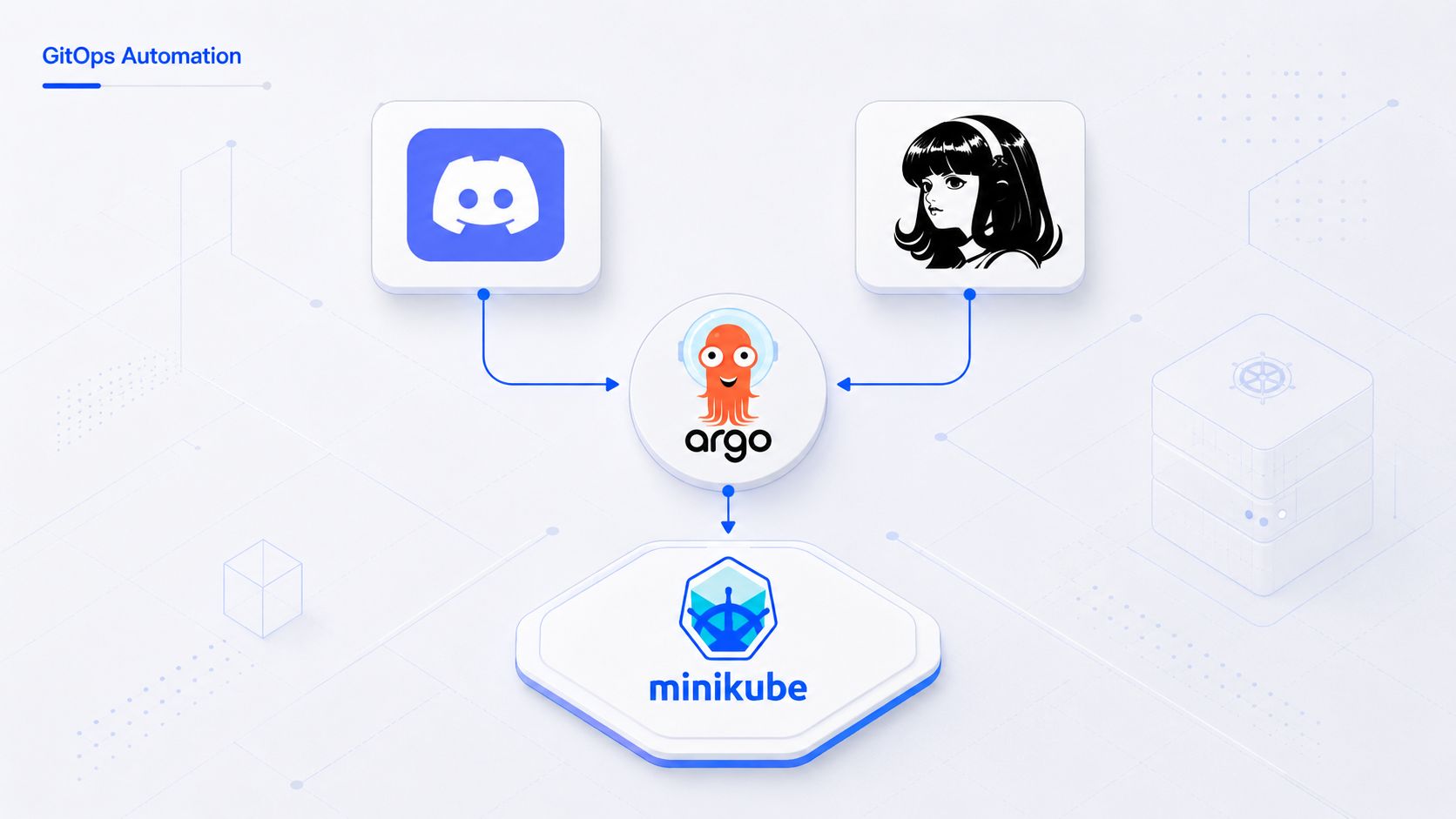
Summary
I wanted a simple way to talk to different AI helpers from one chat interface. At first, the idea looked like “just connect a bot to an agent.” After building it further, the more useful problem became platform-shaped: routing, access control, deployment flow, configuration, storage, and operating rules.
This post is a note on the architecture and tradeoffs so far.
The system has one chat entrypoint, a small router, and a few specialist agents running behind it. The router reads the request, checks who sent it, decides which agent should answer, and formats the response back into chat.
The deployment side is managed through GitOps. Application manifests, agent configuration, encrypted runtime settings, and router configuration live in Git. The cluster reconciles from that desired state instead of relying on manual changes.
What It Looks Like
The first flow is the normal one: ask a specific specialist to help with an infrastructure task. The router selects the right agent, adds a short metadata preface, and returns the answer in the same chat thread.
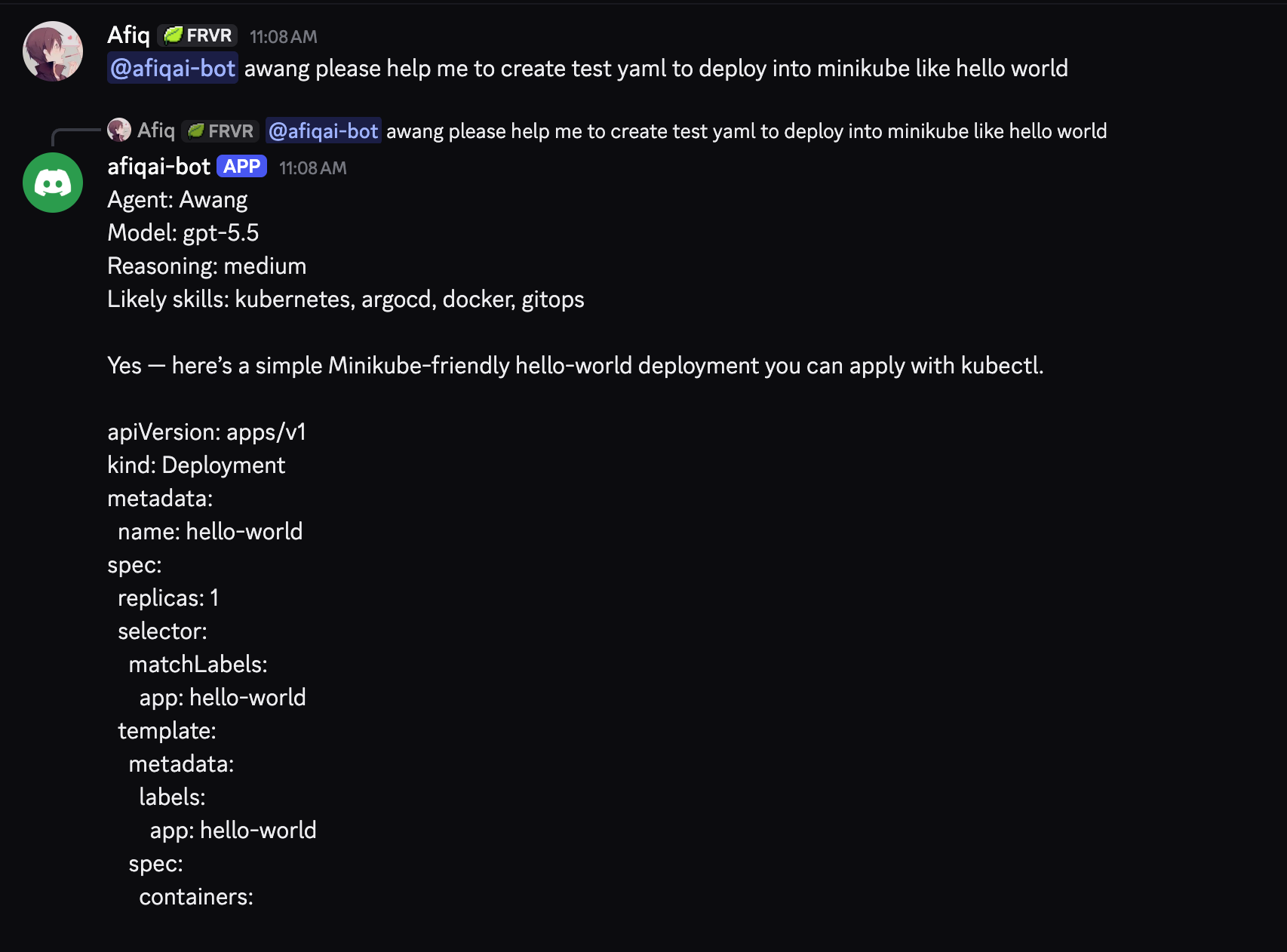
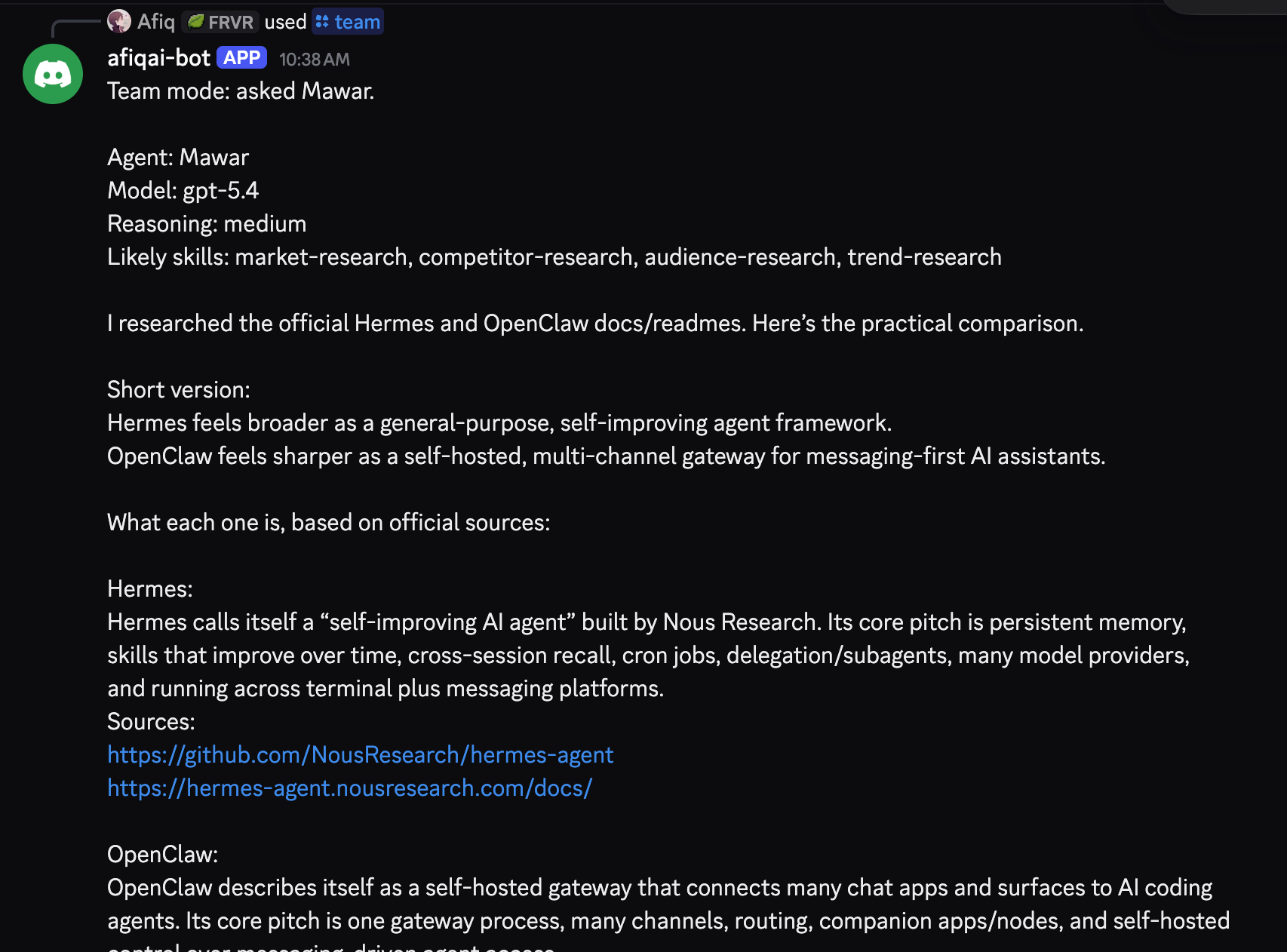
The second flow is team mode. Instead of treating every request as a single-agent question, the router can ask one or more matching agents for broader research or planning work.
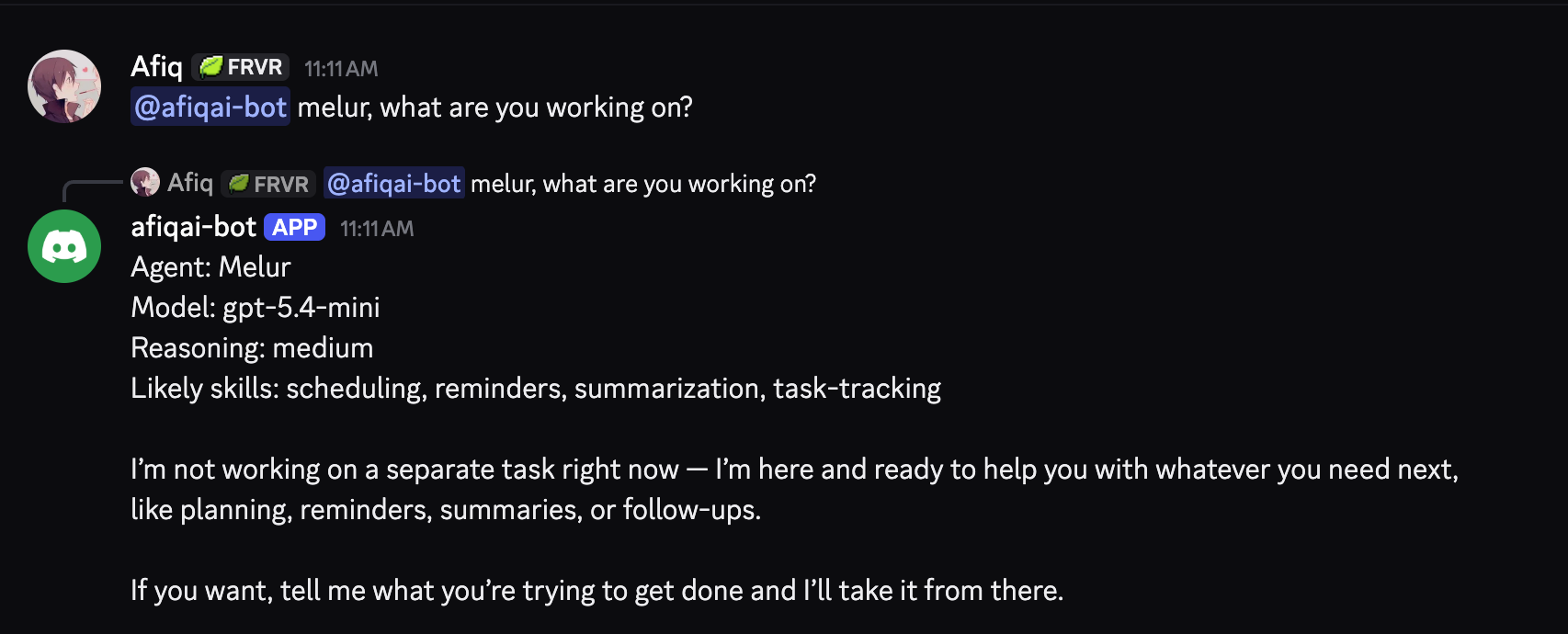
The third flow is a lightweight assistant-style check. This was useful for testing whether routing, model selection, and agent identity were wired correctly without needing a complex task every time.
High-Level Architecture
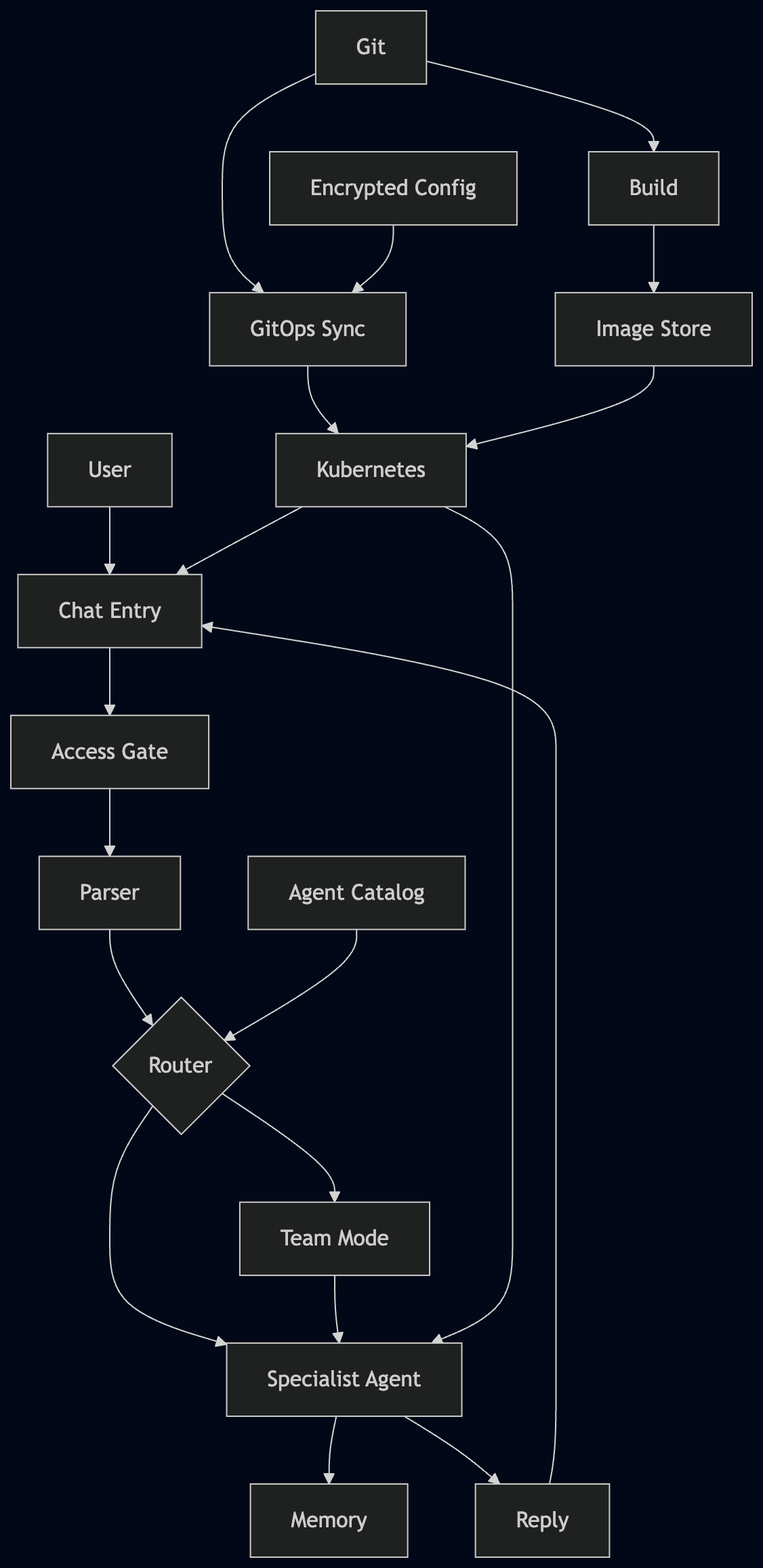
The architecture above is the product view. This one is the operations view: how a Git change becomes running workloads, and how the router, agents, services, profiles, storage, and encrypted configuration fit together inside the cluster.
The important part is the separation: GitOps owns desired state, the router owns request selection, each agent owns its profile and storage, and encrypted config is handled through a dedicated path.
Deployment Topology
The deployment topology keeps runtime pieces separated: chat entrypoint, routing logic, agent workloads, persistent storage, service boundaries, and secrets handling.

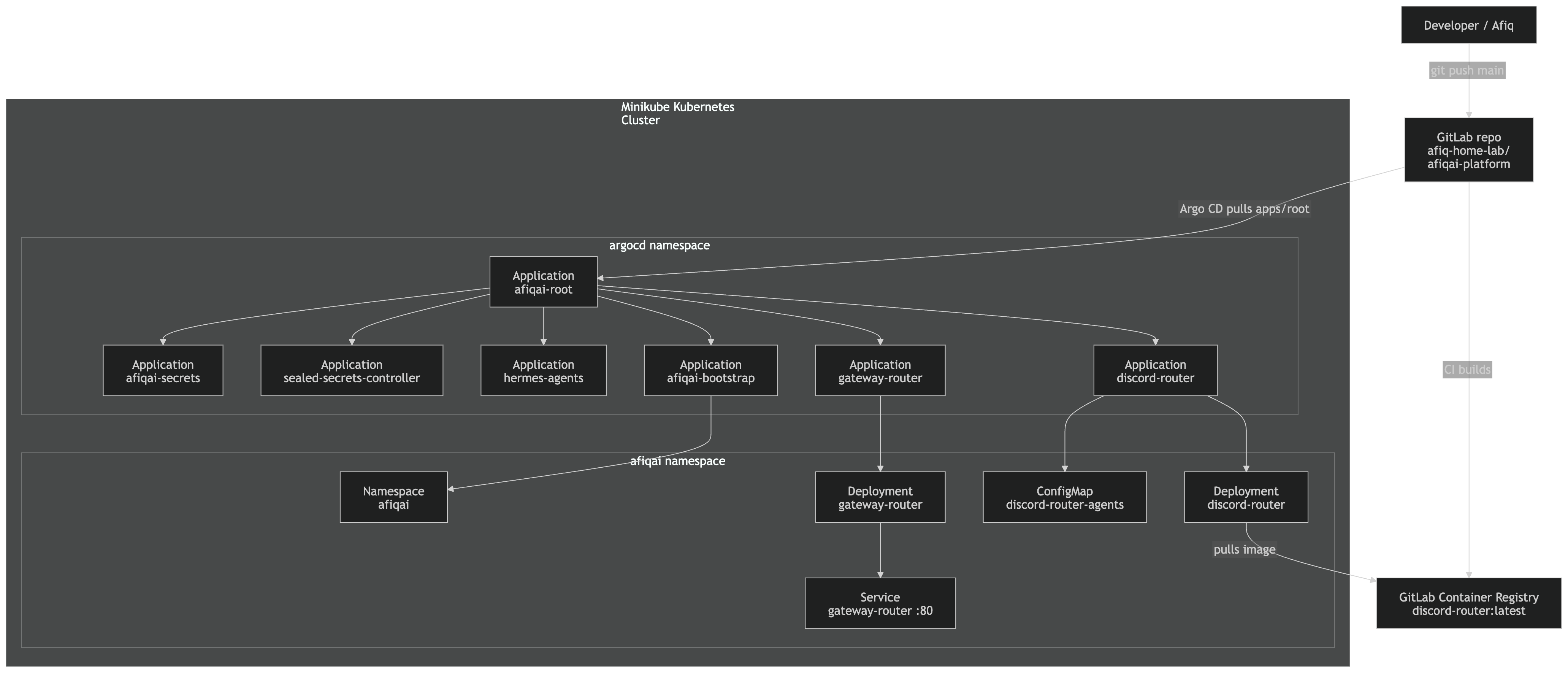
GitLab / ArgoCD Deployment Flow
Application changes move through GitLab and ArgoCD. The goal is to keep deployment reviewable and avoid manual cluster drift.
Request Flow
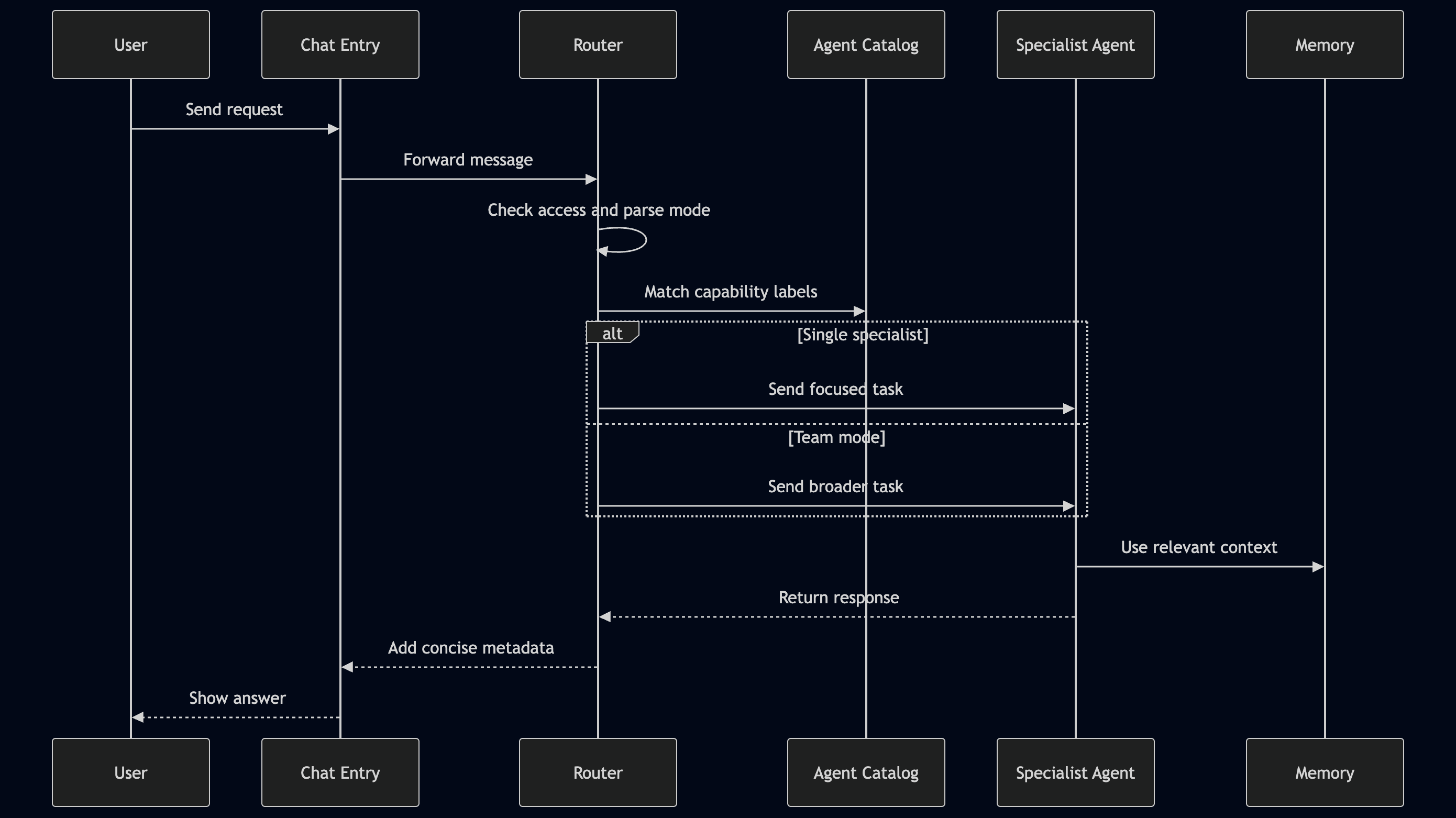
The most important path is still the simplest one: ask from chat and get a useful answer back. That kept the project from becoming a cluster exercise with no real workflow behind it.
Design Notes
Start from the conversation
The useful workflow starts from the user message. The cluster and deployment design only matters if it supports a clear request and response path.
Keep routing boring
The router does not need to be clever yet. It needs to be predictable. A label-based router is easier to test, easier to explain, and easier to debug when an agent is selected incorrectly.
Put behavior in profiles, not code branches
Agent behavior belongs in the agent profile and catalog metadata. The router should know how to select and call agents, but it should not carry every agent’s personality or operating style inside Python conditionals.
Treat the bot like infrastructure
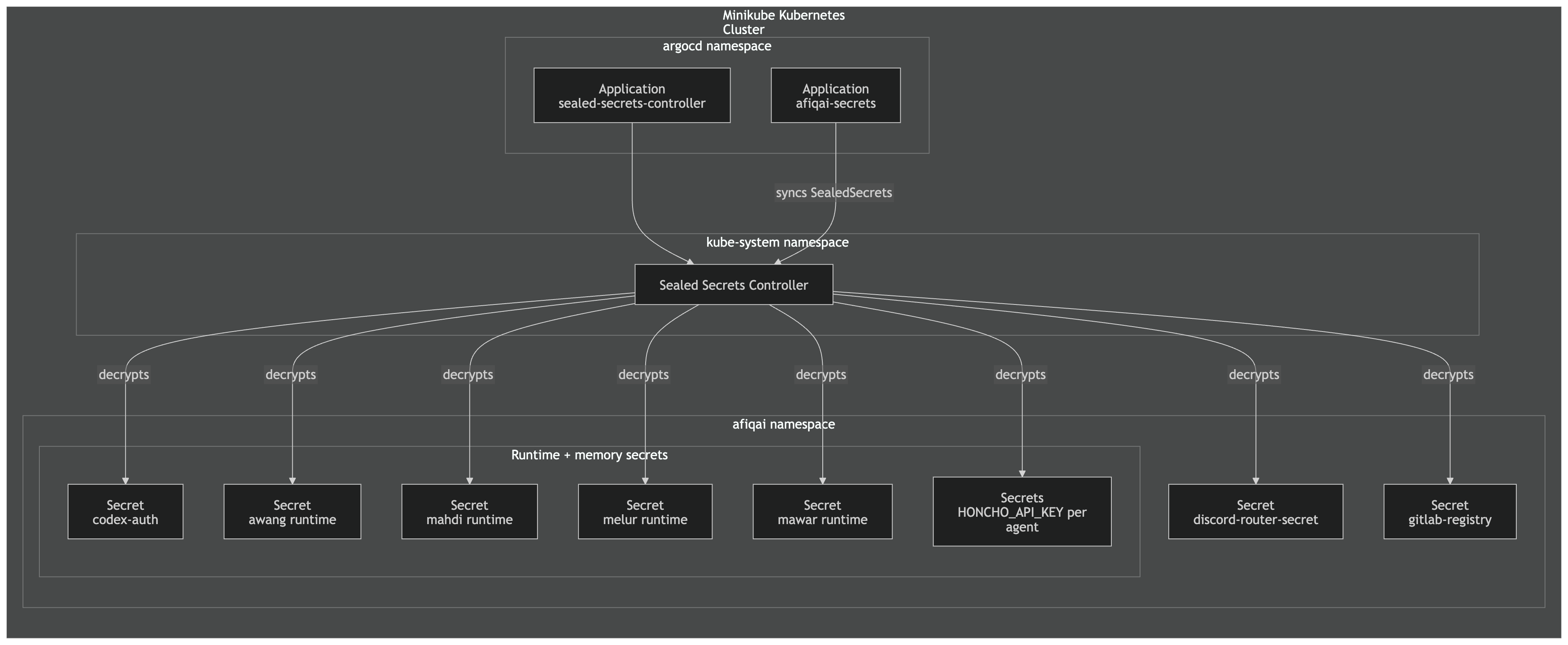
Once the bot depends on secrets, container images, storage, and runtime configuration, manual changes become a liability. GitOps made the project slower at the beginning, but cleaner after the pieces started growing.
What Worked
- The chat interface makes the agents easy to reach.
- The metadata preface helps confirm which agent handled the request.
- Capability labels are enough for a useful first routing model.
- GitOps keeps the deployment story understandable.
- Tests are valuable around the non-AI parts: parsing, routing, formatting, and handoff handling.
What Still Needs Work
- Routing quality needs real examples and small evaluation cases.
- Team mode needs better summarization when multiple agents answer.
- Memory needs a policy: what should persist, what should expire, and how to reset it.
- Observability should be improved before adding too many more agents.
- Agent profile updates need a cleaner lifecycle when persistent storage already exists.
Lessons Learned
The first lesson was that a chat bot becomes infrastructure faster than expected. Once it needs tokens, images, services, storage, and runtime configuration, the “small script” mindset stops being enough.
The second lesson was to keep the router simple for as long as possible. Deterministic routing is not perfect, but it gives a baseline that can be tested.
The third lesson was that memory is not only a feature. It is an operations concern. Persistent data makes agents feel more useful, but it also raises questions about update behavior, reset paths, and what should be remembered in the first place.
The last lesson was that the less exciting parts made the project better: clear config, small tests, deployment flow, and diagrams. They made the agent work easier to trust.
Next Learning Plan
- Improve routing evaluation with example prompts and expected agent choices.
- Add better summaries for team-mode responses.
- Define a clearer memory policy for agent storage.
- Improve observability around routing decisions and agent errors.
Final Thoughts
The useful lesson here is that AI projects still need normal engineering. The agent may be the interesting part, but the system becomes dependable because of the less exciting pieces: routing, tests, configuration, deployment, storage, access control, and documentation.
That was the shift in my thinking. I started with a bot, but the real learning came from treating it like a small platform.